
Skip to content

AI FORMS

The only form that answers before it's submitted.

When the answer exists in your knowledge, the customer gets it immediately. When it doesn't, it becomes a structured case — with all context from the start.

Book a demo
The problem

82% of your customers want to solve the case themselves. 14% succeed.

Your customers aren't lazy. They start in the FAQ, in the help center, in the form — before they even consider contacting you. But a large share escalates. It's not a communication problem. It's that the system they encounter doesn't hold up. And every customer who gives up becomes a case you could have avoided.

73%
Start in self-service
67%
Prefer self-service for simple questions
81%
Want more self-service options
14%
Resolve the case in self-service

Source: Gartner, InMoment, Helply

The Solution

Meet your customers where they already are. Before the case is created.

AI Forms is the most common entry point to customer service — now with AI that answers before the case is submitted. The customer uses the form as usual. If the question has been answered before, the AI appears with the answer — with a link to the source. If that's not enough, or it's a case type you've turned AI off for, everything is passed on to an agent. With all context.

01 · Write

The customer writes their question.

As usual. No extra steps. No chat window forcing itself in.
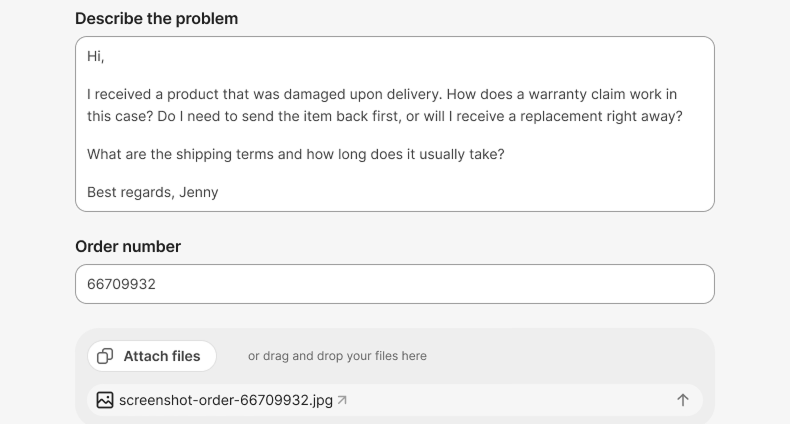
AI Forms_EN 2
02 · Answer

AI answers before Submit.

Does the answer exist in your knowledge? The customer gets it immediately — with a link to the source.
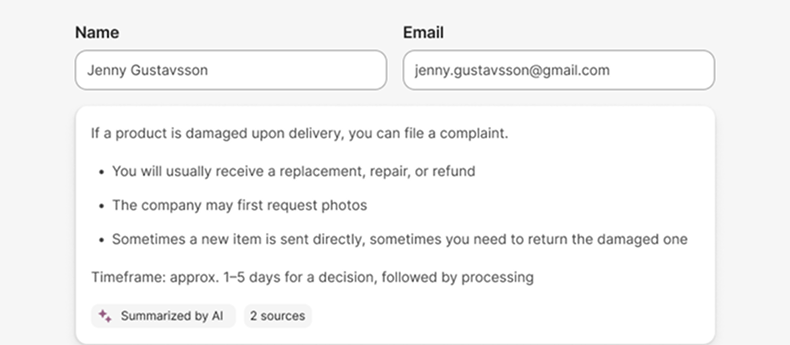
AI Forms_EN 4
03 · Escalate

Or submit — with all context.

Wasn't enough? The case lands in the queue with all data already filled in.
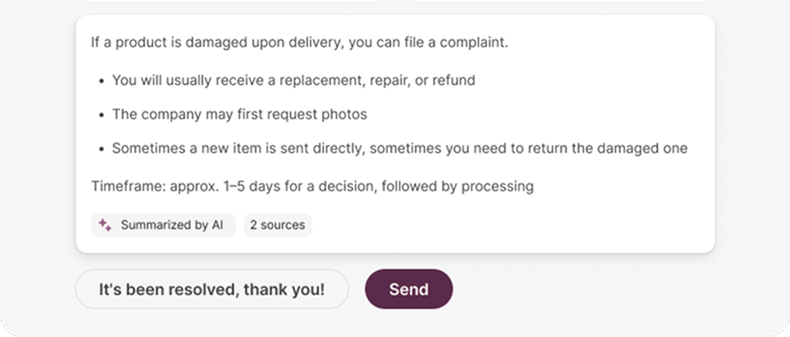
AI Forms_EN 3-2

Human support from the start. AI only appears when it knows the answer.

How it works

The building blocks of the AI form

A case form with AI answers built in — and a structured fill-in for what the AI can't answer.

01

AI answer with source.

The customer sees the answer before the case is created — with a link to the source.

03

Structured fill-in.

Fields that adapt based on case type and the customer's answers.

05

Send to a human.

Wasn't the AI answer enough? The case lands in the queue with all context.
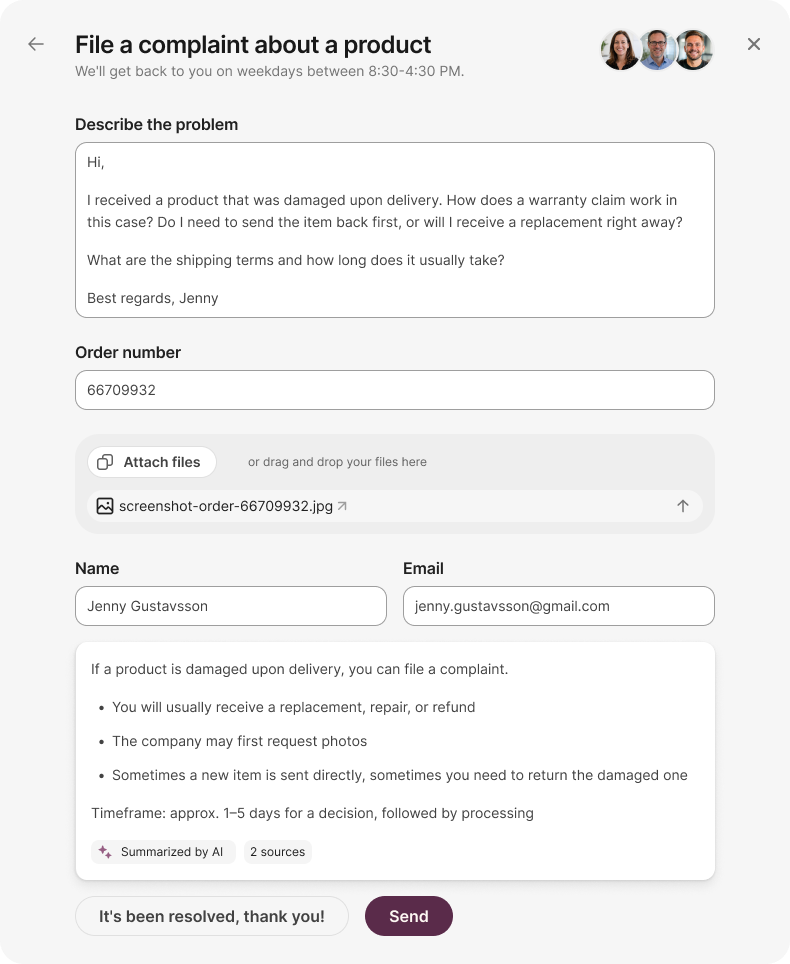
AI Forms_EN
02

Brand-adapted design.

Typography, colors and tones follow your brand.

04

File upload & data fields.

Receipts, photos, order numbers — what chat isn't built for.

The difference

One form. But not as you know it.

Regular form

Static. Silence after Submit.

  • Static submission.
  • Same fields regardless of case type.
  • Customer submits. Case lands in the queue.
  • Agent opens without context.
  • Back-and-forth to collect missing data.
AI form

Answer now. Or a better escalation.

  • Immediate answer or structure.
  • AI answer with source when the knowledge exists.
  • Conditional fields depending on case type.
  • Agent opens with all context in place.
  • Fewer cases. Shorter handling time. Happier customers.

Same surface. Two completely different outcomes.

Results

What you can expect.

01

What you can expect.

AI answers catch the customer before the case is created — without being intrusive.

02

Reduced handling time.

Conditional fields give the agent all context from the start. Fewer internal rounds.

03

Faster responses for the customer.

Answers around the clock — directly in the form, pulled from your existing knowledge.

04

Happier customers.

Humans handle the hard cases. AI handles the easy ones. No customer falls through the cracks.

Ready to meet your customers where they already are?

Ready to meet your customers where they already are?

Book a demo